LOST CONTROL

Release: June 3rd 2016
Studio: College Workshop project
Platforms: PC
Team size: Solo developed
Project length: 3.5 months
Responsibilities: all art asset creation, Level design, puzzle design, coding
Engine and tools: Unity, Photoshop, Google Docs
WHAT IS LOST CONTROL?
Lost Control is a puzzle platformer where players manipulate movement mechanics using draggable UI buttons to progress through cleverly designed levels. Each button controls a specific ability—such as movement, gravity, or platform creation—allowing players to creatively solve challenges. The game introduces mechanics gradually through an interactive tutorial and increases complexity with environmental hazards like lasers, spikes, and moving platforms. Built with a focus on player experimentation and emergent problem-solving, Lost Control blends intuitive mechanics with a unique interface to deliver a thoughtful and engaging gameplay experience.


MY RESPONSIBILITIES
-
Designed and implemented core gameplay mechanics using Unity, including draggable buttons to control player abilities.
-
Created multiple puzzle levels focused on creative problem-solving using platforming and movement constraints.
-
Coded interactive systems such as zero gravity, scaling-based mechanics, and timed platform behaviors.
-
Built a modular UI system with draggable and clickable elements that affected in-game actions.
-
Iterated on game design based on peer and mentor feedback, improving controls and player experience.
-
Developed environmental obstacles (e.g., lasers, spikes, breakable platforms) to challenge player logic and timing.
-
Integrated a pause menu and in-game settings for accessibility and sound control.
-
Designed and tested an onboarding tutorial level to teach core mechanics progressively.
-
Created custom sprites and background art in a sci-fi cartoony style to support the visual theme.Conducted live playtesting sessions and incorporated feedback to refine movement, controls, and user flow.
LEVEL DESIGN
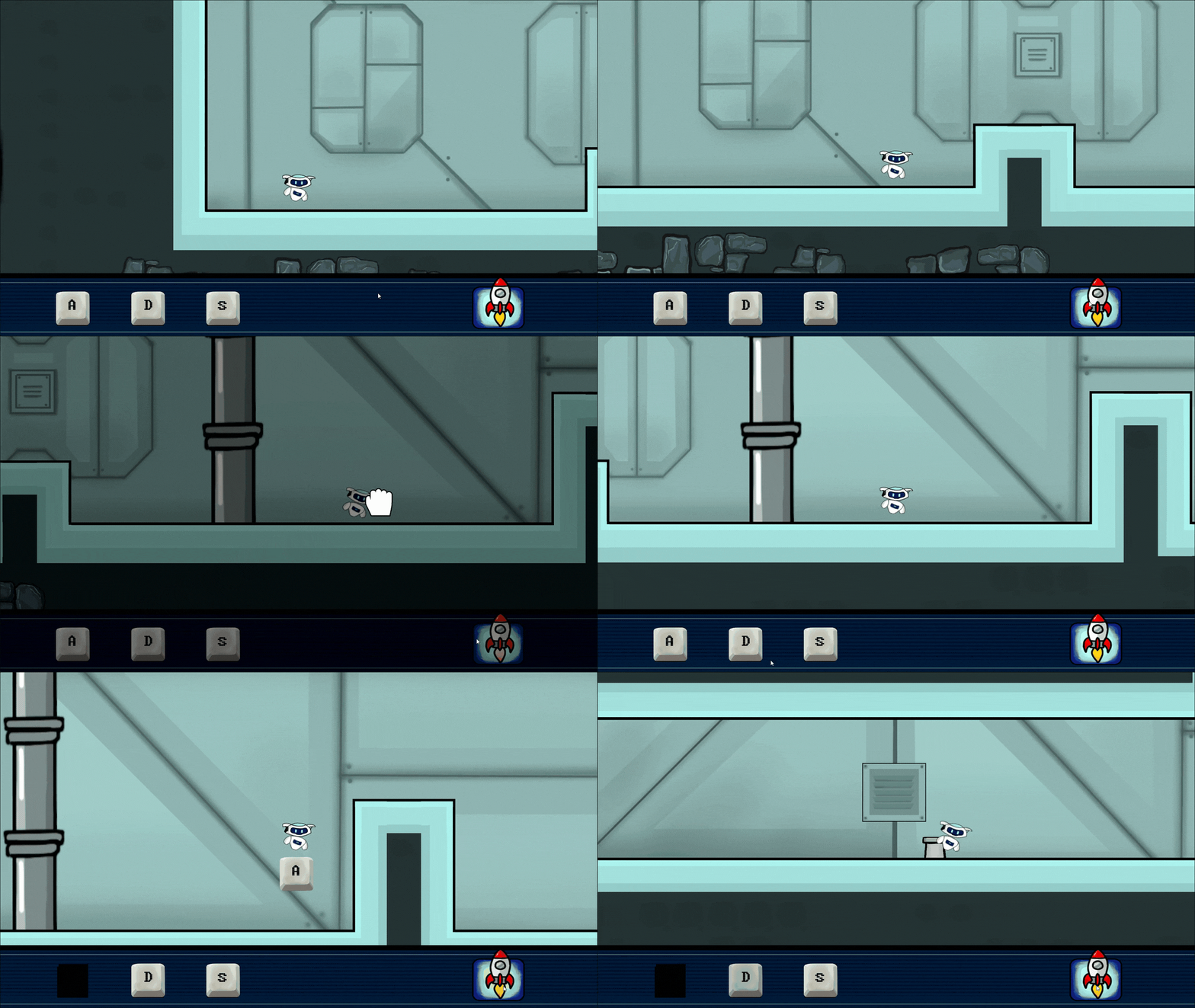
For the tutorial level, I introduced the basic movement controls at the start of the game. Then, I taught the player about scaling mechanics through the level. 'S' for scaling and 'Q' for scale down.
Gradually introduced new mechanics, such as draggable buttons, through in-game animations. A core twist of the game is that the player cannot move left if the 'A' button is active, and the same applies for the right side with the 'D' button. This was communicated visually—for example, the corresponding button turns red if the player tries to move in a restricted direction while that button is still present in the game.
PUZZLE DESIGN
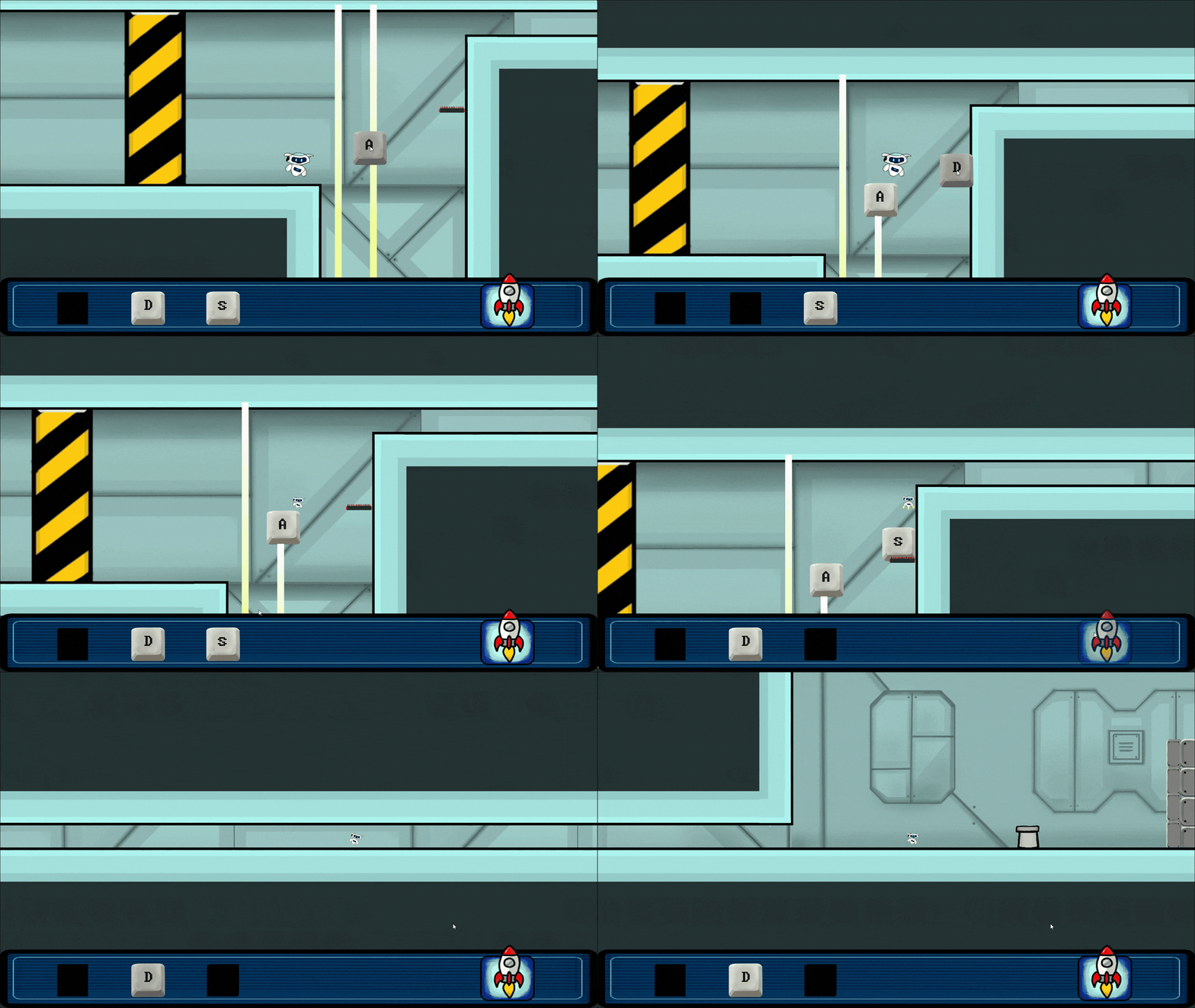
For the first puzzle, the goal was to keep it simple and introduce the first environmental hazard, which is a laser. Also, I was trying to involve scaling and jumping mechanics with the draggable buttons. So the player can use the buttons to block the lasers.
For this puzzle, the idea was to force the player to drag 2 buttons so they have only one option going forward. The only way to beat this puzzle is to scale down before you start dragging buttons.
For the second puzzle, I introduced the no-button draggable area just to confuse the player, yet the puzzle was very simple. It uses the same method as previous puzzles, but this time the laser is horizontal, so players have to think before using the second button